HTML Favicon: Add a Site Icon
A favicon is a small icon associated with a website. Learn how to link one from the document head and how to check its file path and format.
Quick answer: Add a <link rel="icon" href="..."> element inside <head>. The href points to the icon file; use a path that resolves correctly from every page that needs it.
What a favicon is
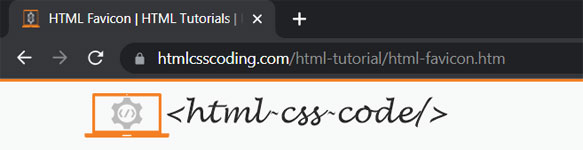
Browsers may show a site icon in tabs, bookmarks and other browser interfaces. A recognizable icon helps visitors distinguish your site when they have multiple pages open.
Link an icon in the document head
A root-relative path starts at the website root, so it works from pages in different folders on the same site.
<head>
  <meta charset="utf-8">
  <title>Example page</title>
  <link rel="icon" href="/favicon.ico">
</head>
The rel="icon" value identifies the linked resource as a site icon. The href provides its location. If you use a path such as images/favicon.png on pages in nested folders, verify the relative path from each document or use a root-relative URL.
Choose an icon file
ICO files are a common simple option. PNG and SVG files can also be linked; include a type or sizes attribute when it helps the browser identify the resource or its dimensions.
<link rel="icon" href="/favicon.ico" sizes="32x32">
<link rel="icon" href="/icon.svg" type="image/svg+xml">
<link rel="icon" href="/icon-32.png" type="image/png" sizes="32x32">
You do not need to add several files just to get started. Begin with one icon, make sure the URL is correct and the image is square and legible at a small size, then add platform-specific icons only when your project needs them.
Check the favicon when it does not appear
- Open the icon URL directly and confirm the file loads.
- Check the file name, capitalization and folder path.
- Make sure the linked format matches the actual file.
- Refresh the page or test in a new tab; browsers may cache icons.
Favicon questions
Does the favicon link go in the head or the body?
Place the <link rel="icon"> element in the document head with the page’s other metadata links.
Do I need to write rel="shortcut icon"?
For a standard site icon link, use rel="icon". Follow platform-specific requirements separately if you are adding an app or home-screen icon.
Practice: add an icon to a small site
Save a square image in your site’s root folder, link it from the head, and open the page in a browser. Then open the icon URL directly to check the path. Test a page in a nested folder as well to confirm that the link still resolves.
See MDN’s link element reference for details about icon links and supported attributes.